
What Shopify's updated customer accounts mean for your CRM
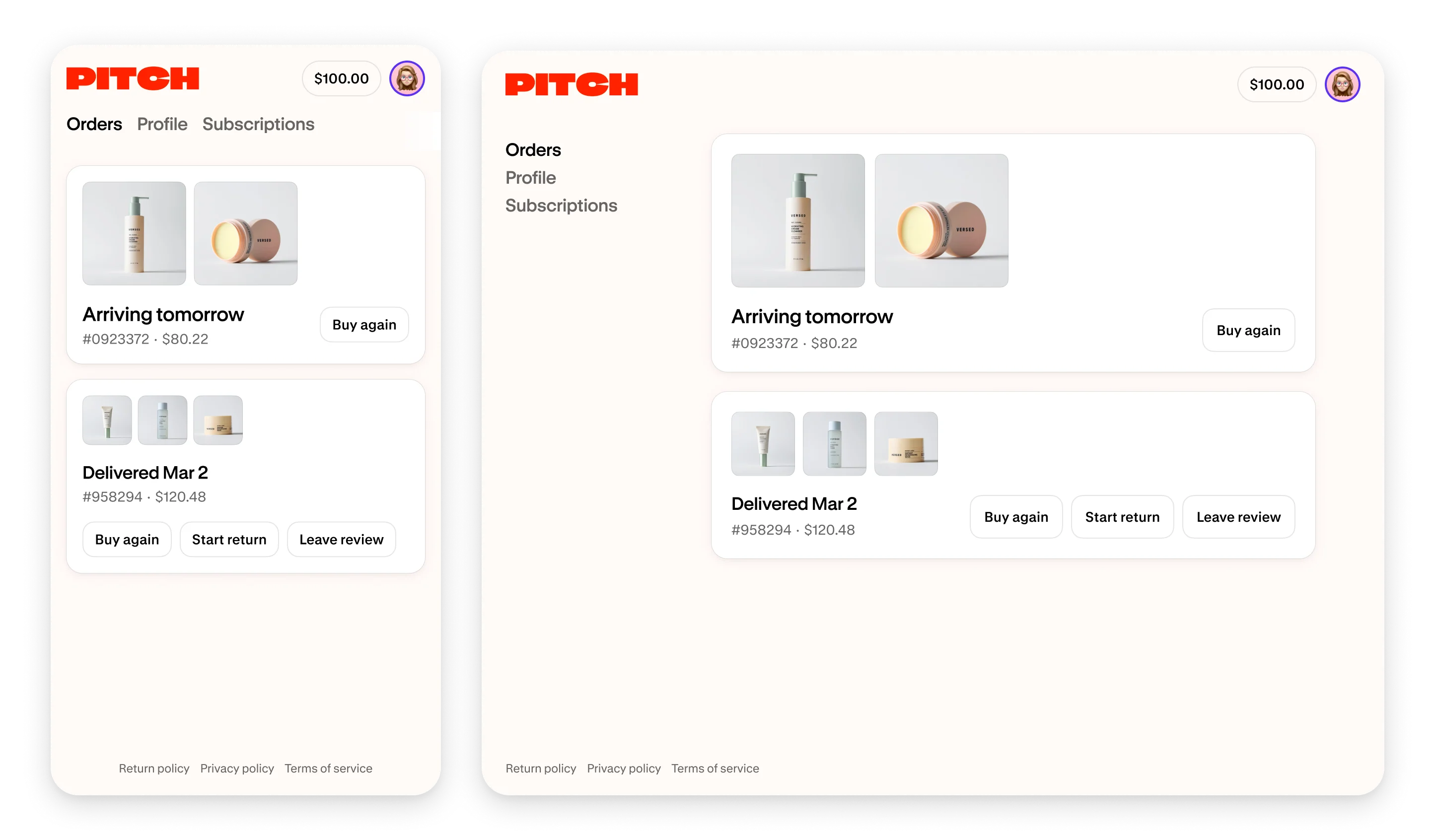
One customer has store credit and wants to order again. Another signs in for the first time and is looking for a suitable product. Both reach the account area with different tasks in mind. Shopify updated this experience on November 12, 2026. It gives store teams a reason to review the customer journeys behind it.
In the latest version of customer accounts, the store credit balance now appears in the header on every page. Signed-in customers who have never ordered from your store see personalized recommendations from your catalog. Shopify specifies that both changes apply to the current account version. Shopify's November 12 announcement
Make the next purchase easy to understand
A customer who knows they have credit should be able to find a suitable product and reach checkout easily. Use a designated test account to check how the balance appears and how its use is explained during a purchase. Write down the questions your support team would need to answer.
For CRM work, that gives you a specific communication task. Does the customer understand where to find their credit? Is the explanation accessible on a phone? A brief explanation at the relevant step can be more useful than another campaign.
Review the experience before the first order
The new recommendations address signed-in people who have not ordered yet. Test that state with a separate profile. An established customer account will not show you that entry experience. Shopify recommendation update
Check whether recommended items have recognizable names and suitable images. Are sizes, variants and prices clear on the destination page? Does a click lead to something the person can actually buy? Product maintenance matters here, too.
A clothing retailer could check whether the images clearly distinguish similar items. A store selling products that need explanation should answer common first-purchase questions on the product page. These are practical checks for your own range. Any sales improvement still needs to be measured after the change.
Give each customer group a purpose
Shopify segments are rule-based groups that automatically update their membership as customers meet or leave the criteria. They can help a team distinguish first-time buyers from repeat customers. Shopify customer segments
I would start with three tasks for the team. What help does someone need before buying? Which questions come up after the first delivery? What does a regular buyer need when ordering again? Build your groups and content around those answers. Use the appropriate marketing consent status when selecting newsletter recipients.
In a small store, one person can review these journeys regularly. With a larger catalog, service and marketing should agree who corrects data and who maintains content. If an external CRM is involved, each relevant field needs an agreed source and a verified route between systems.
Review existing functions before upgrading
Check which version your store uses under Settings > Customer accounts. Shopify provides a guide for upgrading legacy accounts. Include old account template customizations, app features and existing automations in your review. Sidekick can help plan the upgrade. Shopify says Flow workflows and customer segments also need a manual review. Shopify upgrade guide
List the tasks customers need to complete before you approve the change. They might include signing in, viewing orders, changing an address, using credit or reaching subscription management. The relevant tasks depend on your store and installed apps. Check each required journey on a phone and desktop.
Measure the customer tasks
After the change, track support questions about sign-in, credit and orders. Look at repeat purchases and the steps between the account and checkout where your measurement setup can record them reliably. Record the dates and any promotions running at the same time.
With few orders, I would examine individual feedback and specific failed journeys. Larger stores can review recurring patterns across more customers and longer periods. That turns an account update into a CRM process with someone responsible for following it through.
The other two articles in this series cover files and structured catalog data. They provide practical starting points for organizing daily store work. Files and folders · Analyze metafields with Sidekick
I help teams review and improve the connection between their customer accounts, CRM and apps. Shopify development
Image source: Shopify Help Center: Customer Accounts. The image shows Shopify’s example account.