
Commissioning Shopify development: What belongs in a useful brief
“We need a better cart.” A development team can start a conversation there, but it isn't enough to plan a reliable solution. Perhaps shipping information is unclear. Perhaps the selected variant disappears when someone goes back. Or the cart needs recommendations, but nobody maintains the product relationships. The same request can hide very different tasks. A useful brief brings those differences into view early.
You don't need to write a technical novel. I want to understand what someone is trying to do, what happens today and how you would recognize an improvement. A few specific examples are often enough for the first conversation. Together, we can turn them into a scope your team can check. These points will help you prepare those examples and assess proposals.
Start with a situation in the store
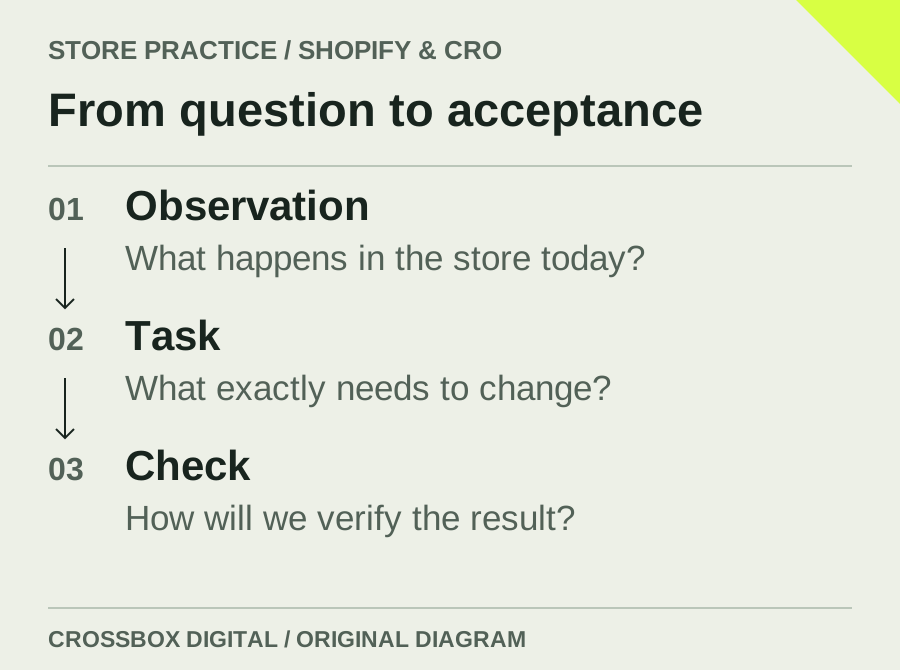
Describe a journey you've actually observed. A customer adds a medium jacket to the cart, opens another product and finds a different selection when returning. Record the pages, device and steps involved. A short screen recording can explain a lot. Include only the information needed to understand the issue, so the example remains easy to review and share with the people doing the work.
Avoid prescribing the technical answer too soon. “Install a new cart app” doesn't establish whether the existing function could be repaired. Describe the outcome instead: the customer must reliably find and change the selected variant. That leaves room to choose the smallest suitable implementation. The proposal should then explain how the requirement will be met.
Explain who the change is for
People use a store under different conditions. First-time visitors may need more explanation. Regular customers may want to reorder quickly. Your internal team needs to update information. Identify the people affected and the point in their journey where the task occurs. Detailed personas aren't essential. A sentence describing the situation and expected action is often more useful than an invented biography.
For international stores, include language, market and currency. A message may fit in German but become too long in English. An offer may apply only to certain products. Mention these limits early. Also include ordinary edge cases: unavailable variants, empty search results, missing images and long product names. The implementation needs to work when the content isn't perfectly arranged.
Separate the first task from later ideas
Conversations quickly produce extra suggestions. A new purchase panel could also have a comparison tool, a bundle and personalized recommendations. Record those ideas, then decide which problem needs solving first. If every suggestion joins the first release, acceptance becomes difficult. A focused initial scope also makes it easier to observe what the change actually does.
Describe a clear beginning and end for the work. It might cover variant selection through to the correct handover to checkout. Maintaining recommendations could be included, while new subscription management remains a later task. Put that boundary in ordinary language in the proposal. Your team should understand what will be delivered and which question has deliberately been left open.
Show where the information comes from
Visible features often depend on less visible maintenance. Delivery information may come from a metafield, an app or another system. A recommendation needs appropriate product associations. Someone must write and maintain sizing guidance. Use a real product to show where the required information lives today. If that information doesn't yet exist, creating it belongs in the project scope.
Agree who will maintain the result. Can the store team edit the content in the theme editor? Does one central product field need to supply several areas? Should an external system remain the source? An attractive feature that needs a developer for every text change may not suit your operation. Shopify's theme tools describe the technical environment. The maintenance responsibility still needs a project decision.
Ask why an app or custom development is appropriate
An app may already cover the task well. A theme change may be enough for a limited requirement. A custom integration becomes relevant when information must move between systems. Ask the supplier to explain the recommendation through your actual workflow. Which requirement does it meet? What limitation remains? What ongoing work will it create? Those are useful questions even without technical expertise.
For apps, consider the dependence on the provider and the functions you actually need. For custom work, include documentation and future maintenance. A low initial price can become expensive if every adjustment requires special work. Equally, a possible edge case doesn't justify building a large platform. The article on apps and theme extensions explores that decision in more detail.
Define acceptance through examples
“Works on mobile” leaves room for interpretation. Describe the task that must succeed on a narrow screen. Someone selects a variant, changes quantity and reaches checkout with the correct items. Important information must remain available when the device is rotated. A keyboard user must be able to reach the required controls and see which one has focus.
A short acceptance list can capture these checks. Focus on observable states. Add cases that matter especially to sales or service. A subscription needs the correct delivery frequency. Personalized items need their entered details attached to the correct order. A promotion needs the amount the customer will actually pay. These examples make disagreement easier to resolve because both parties can inspect the same behavior.
Review the change in a preview
A preview gives your team time to examine the implementation. Agree who will check it and what feedback is needed. “Looks good” doesn't answer a question about data transfer. Service can follow the customer journey, the product team can edit content, and a technical owner can check the handover. Acceptance then reflects the people responsible for each part of the operation.
Record problems with steps and an expected result. “Broken on my phone” produces more questions. A precise description saves time for everyone. Keep new requests distinguishable from defects in the agreed scope. That creates a fair basis for planning further work and prevents necessary corrections from disappearing among additional design suggestions.
Plan publication and recovery together
Even a small change needs an agreed release. Who approves it? When will it go live? Who checks the real purchase journey afterward? Choose a time when the necessary people are available. If an unexpected problem appears, the team should know how to restore the previous state. That preparation matters particularly when campaigns or other technical changes are happening at the same time.
Repeat the agreed checks after publication. A working preview doesn't prove that every production setting behaves identically. Record the outcome you want to observe, too. Fewer sizing questions, fewer failed quantity changes and more completed purchases are different goals. Without reliable measurement, an attractive visual change shouldn't automatically be described as a sales improvement.
Make the result manageable in daily work
Ask for a short handover using the actual controls. Where does the team change the text? How is a new product associated? Which setting needs discussion before adjustment? A usable guide with real examples often helps more than extensive notes about internal implementation details. A second team member should be able to perform the task without knowing the project's entire history.
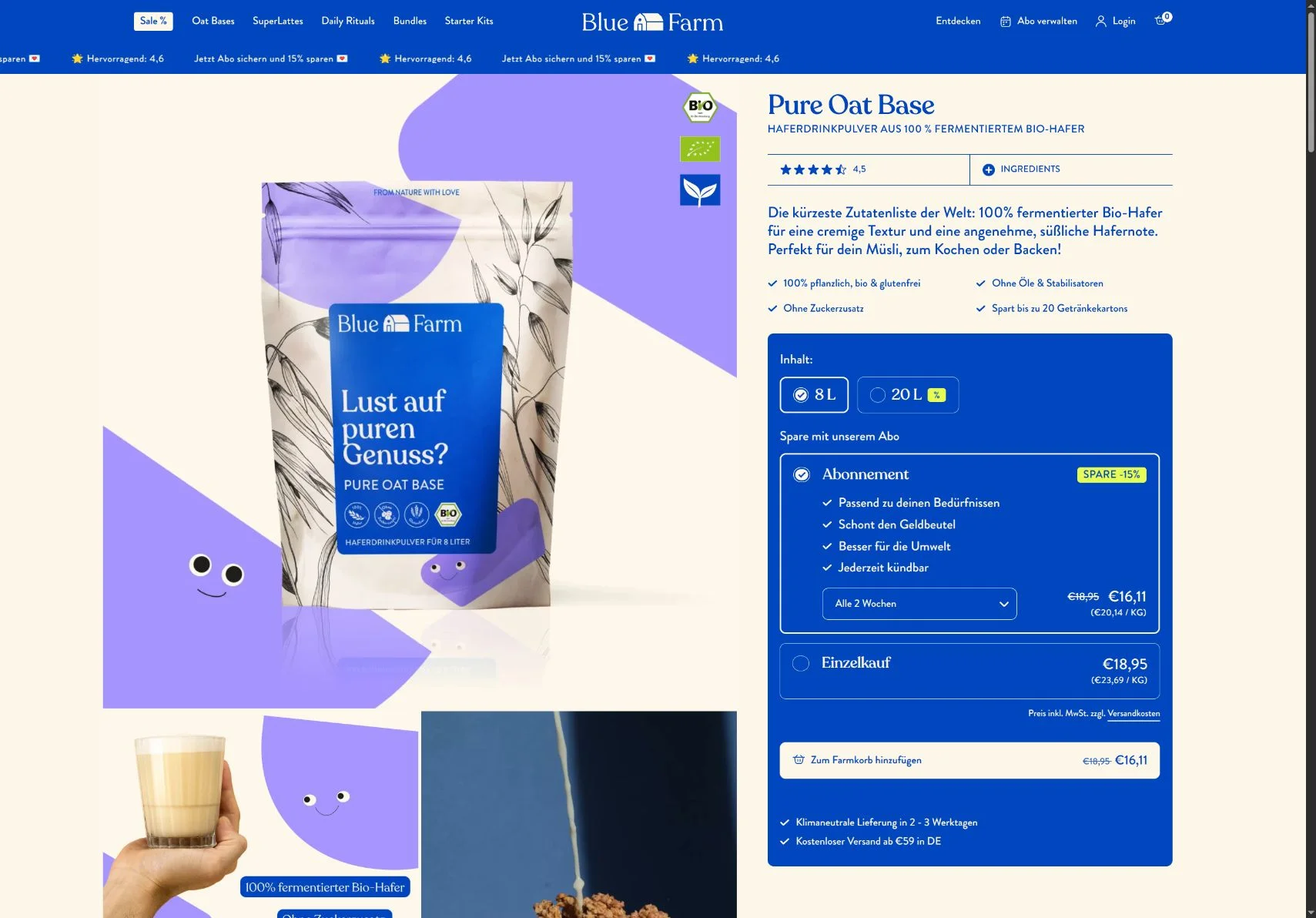
A good brief develops as the work is clarified. You contribute knowledge of customers and operations; development turns that into an appropriate implementation. The Blue Farm project shows purchase options brought together on the product page. For your store, the useful starting question is equally concrete: which decision should become easier for the customer?
Common questions about development briefs
Do I need finished designs before making an enquiry?
No. Start with the task and the current journey. A design can follow from that. If designs already exist, data, states and maintenance requirements should still be discussed before committing to the implementation. A visual reference rarely describes every behavior the store needs.
Can a developer estimate the work without store access?
A rough assessment may be possible. A reliable proposal needs the relevant assumptions checked, which can involve the theme, apps and integrations. Necessary access can be agreed after the initial conversation. It should correspond to the specific investigation rather than being requested without a purpose.
What should I bring to the first conversation?
Your store link, a concrete problem, the affected workflow and any timing constraints. An example product and the names of connected systems also help. A short description that someone can follow is more useful at this stage than a long, unprioritized wish list.
Have a Shopify task whose scope is still unclear? In a consultation, we can follow the current journey and identify an implementation that fits your store and team. That gives you a practical basis for deciding what to commission next.